カテゴリー: Online Services

  • WordPress Category Listing ERROR on KANSO Theme

    WordPress Category Listing ERROR on KANSO Theme


    widget_embedder.js:106 [Deprecation]Listener added for a ‘DOMNodeInserted’ mutation event. Support for this event type has been removed, and this event will no longer be fired. See https://chromestatus.com/feature/5083947249172480 for more information.


    エラー メッセージは次のようになっています:

    widget_embedder.js:106  [Deprecation] Listener added for a 'DOMNodeInserted' mutation event. Support for this event type has been removed, and this event will no longer be fired. See https://chromestatus.com/feature/5083947249172480 for more information.

    これは、DOMNodeInserted というミューテーションイベント(DOM変化イベント)が非推奨になり、サポートが廃止されたことを示しています。ミューテーションイベントは、DOM(ドキュメントオブジェクトモデル)に変更が加えられたときにトリガーされるイベントのことです。しかし、このイベントはパフォーマンスの問題やブラウザのクラッシュを引き起こす可能性があるため、最新のブラウザではサポートされなくなりました。

    修正方法

    このエラーを修正するには、MutationObserver を使用して同様の機能を実装することをお勧めします。MutationObserver は、DOMの変更を監視し、指定された変更が発生したときにコールバック関数を実行する新しいAPIです。以下に簡単な例を示します:

    // 古いミューテーションイベントの使用例
    target.addEventListener('DOMNodeInserted', event => doSomething(event.target));
    
    // 新しい MutationObserver を使用したコード
    const observer = new MutationObserver(mutationList => {
      mutationList.forEach(mutation => {
        if (mutation.type === 'childList') {
          mutation.addedNodes.forEach(doSomething);
        }
      });
    });
    
    observer.observe(target, { childList: true, subtree: true });

    このように、MutationObserver を使うことで、DOMの変化に対して効率的かつ安全に対応できます。

  • heroku install and setup

    1) Install the Heroku CLI
    https://devcenter.heroku.com/articles/heroku-cli

    2) Verify Your Installation
    https://devcenter.heroku.com/articles/heroku-cli#verify-your-installation


    PS C:\Users\user> heroku –version
    » Warning: Our terms of service have changed: https://dashboard.heroku.com/terms-of-service
    heroku/8.10.0 win32-x64 node-v16.20.2

    3) Get Started with the Heroku CLI
    https://devcenter.heroku.com/articles/heroku-cli#get-started-with-the-heroku-cli


    PS C:\Users\user> heroku login
    » Warning: heroku update available from 8.10.0 to 8.11.1.
    heroku: Press any key to open up the browser to login or q to exit:
    Opening browser to https://cli-auth.heroku.com/auth/cli/browser/xxxxxxxx-xxx-xxx-xxx-xxxxxxxx?requestor=xxx.xxxxxx.xxxxxx-xxxxxx
    Logging in… done
    Logged in as user@gmail.com


    PS C:\Users\user> more _netrc
    machine api.heroku.com
    login user@gmail.com
    password xxxxxxxx-xxx-xxx-xxx-xxxxxxxx
    machine git.heroku.com
    login user@gmail.com
    password xxxxxxxx-xxx-xxx-xxx-xxxxxxxx

  • Cloud Online Services

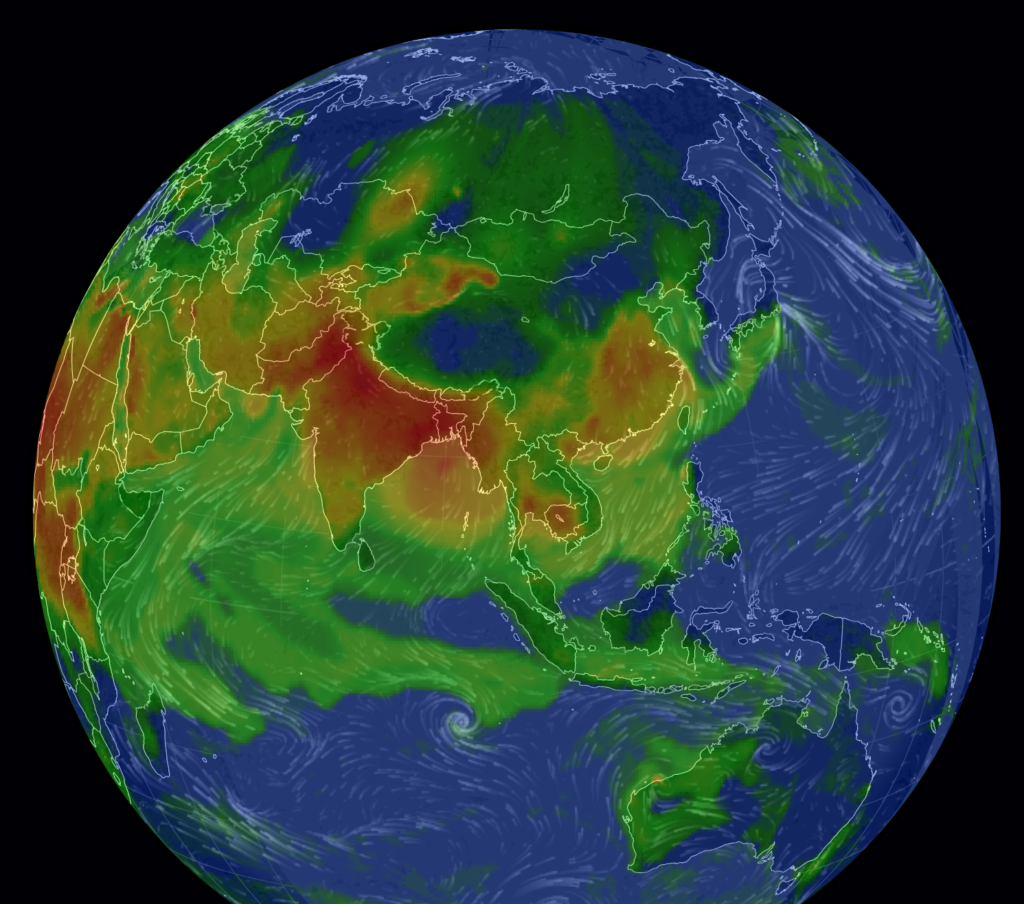
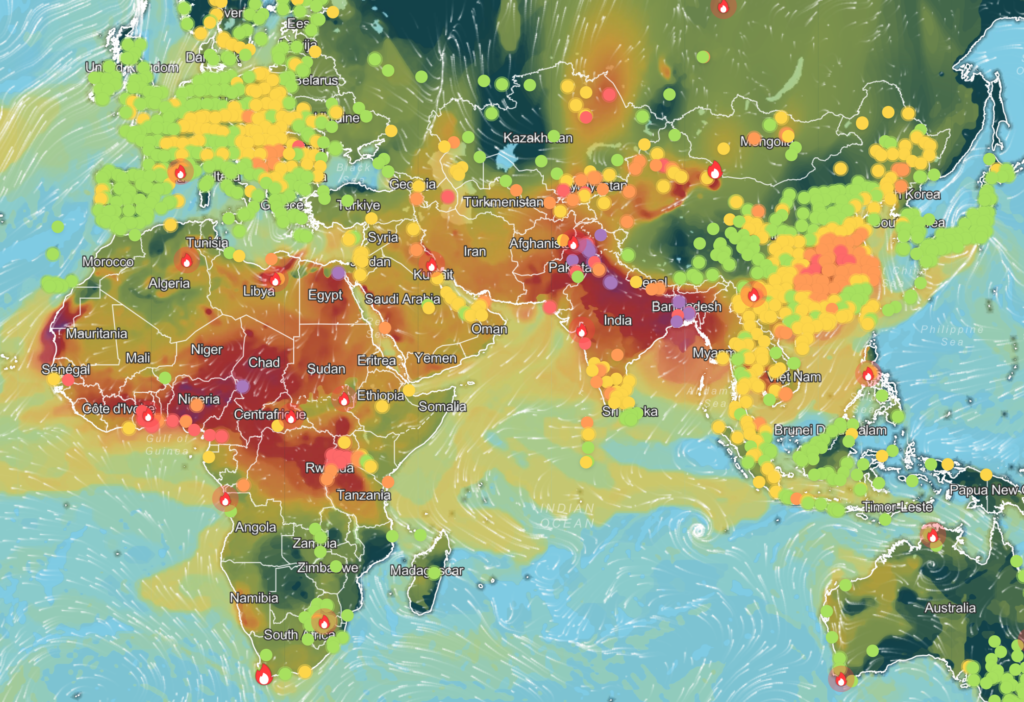
    IQAir地球大気汚染マップ

    IQAir地球大気汚染マップ

    ライブアニメーション大気質マップ(AQI、PM2.5 …)| IQAir

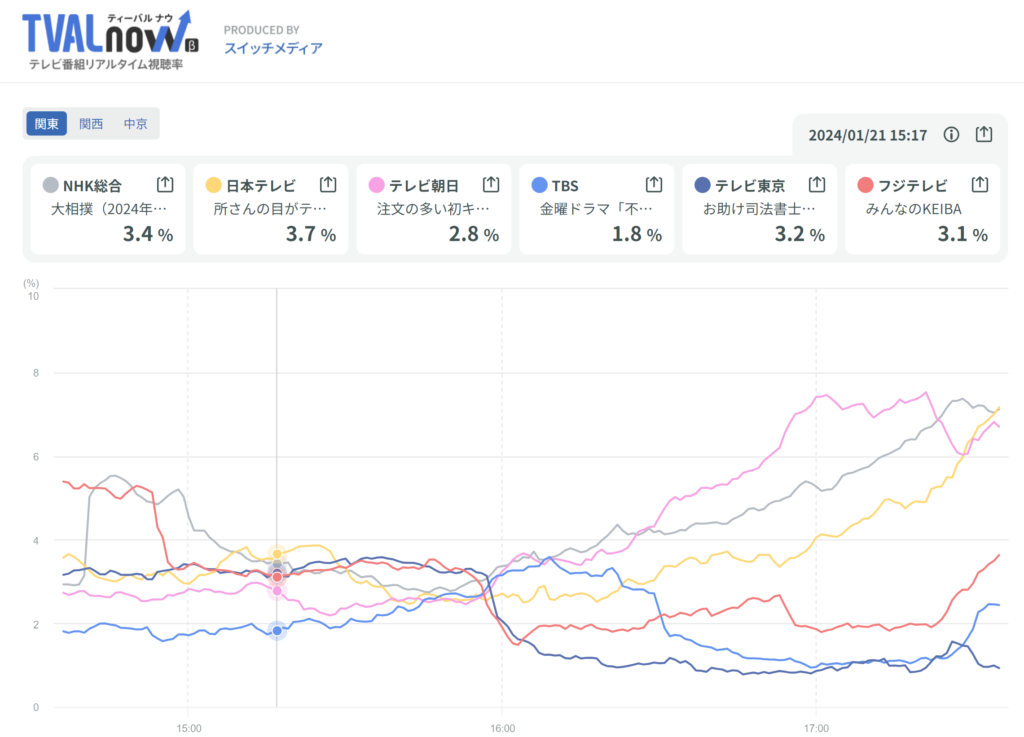
    テレビ番組リアルタイム視聴率

    TVAL now(ティーバルナウ) – テレビ番組リアルタイム視聴率 (switch-m.com)

    STL

    Stereolithography,
    Standard Triangulated Language,
    Standard Tessellation Language 

    Free online STL viewer (viewstl.com)

    sharplab

    .NET language playground

    https://sharplab.io/

    https://github.com/ashmind/SharpLab

    Convert JSON to C# Classes Online
    Json2CSharp Toolkit

    https://json2csharp.com/

    Rust -Playground

    https://play.rust-lang.org/

    go -The Go Playground

    https://play.golang.org/

    Python -Colaboratory(Colab)Python サービス

    https://colab.research.google.com/

    JavaScript -CodePen

    https://codepen.io HTML, CSS, JavaScript

    JS Bin – Collaborative JavaScript Debugging

    https://jsbin.com/?html,output

    HostMath – Online LaTeX formula editor and browser-based math equation editor

    https://www.hostmath.com/

    https://www.hostmath.com/Demo.aspx

    regex -regex101: build, test, and debug regex

    https://regex101.com/ QUICK REFERENCEが便利

    regex -RegExr: Learn, Build, and Test RegEx

    https://regexr.com/

    PHP -Online PHP editor – Test code in 250+ PHP versions

    https://3v4l.org/

    Squoosh -image compression web app

    https://squoosh.app/


    818 View Count
  • Install the GitHub CLI (gh) command

    PS C:\Users\user> choco install gh

    Chocolatey v2.2.2

    Installing the following packages:

    gh

    By installing, you accept licenses for the packages.

    Progress: Downloading gh 2.36.0… 100%

    gh v2.36.0 [Approved]

    gh package files install completed. Performing other installation steps.

    The package gh wants to run ‘chocolateyInstall.ps1’.

    Note: If you don’t run this script, the installation will fail.

    Note: To confirm automatically next time, use ‘-y’ or consider:

    choco feature enable -n allowGlobalConfirmation

    Do you want to run the script?([Y]es/[A]ll – yes to all/[N]o/[P]rint): y

    Installing 64-bit gh…

    gh has been installed.

      gh may be able to be automatically uninstalled.

    Environment Vars (like PATH) have changed. Close/reopen your shell to

     see the changes (or in powershell/cmd.exe just type `refreshenv`).

     The install of gh was successful.

      Software installed as ‘MSI’, install location is likely default.

    Chocolatey installed 1/1 packages.

     See the log for details (C:\ProgramData\chocolatey\logs\chocolatey.log).

    PS C:\Users\user>

    PS C:\Users\user> gh

    Work seamlessly with GitHub from the command line.

    USAGE

      gh <command> <subcommand> [flags]

    CORE COMMANDS

      auth:        Authenticate gh and git with GitHub

      browse:      Open the repository in the browser

      codespace:   Connect to and manage codespaces

      gist:        Manage gists

      issue:       Manage issues

      org:         Manage organizations

      pr:          Manage pull requests

      project:     Work with GitHub Projects.

      release:     Manage releases

      repo:        Manage repositories

    GITHUB ACTIONS COMMANDS

      cache:       Manage Github Actions caches

      run:         View details about workflow runs

      workflow:    View details about GitHub Actions workflows

    ALIAS COMMANDS

      co:          Alias for “pr checkout”

    ADDITIONAL COMMANDS

      alias:       Create command shortcuts

      api:         Make an authenticated GitHub API request

      completion:  Generate shell completion scripts

      config:      Manage configuration for gh

      extension:   Manage gh extensions

      gpg-key:     Manage GPG keys

      label:       Manage labels

      ruleset:     View info about repo rulesets

      search:      Search for repositories, issues, and pull requests

      secret:      Manage GitHub secrets

      ssh-key:     Manage SSH keys

      status:      Print information about relevant issues, pull requests, and notifications across repositories

      variable:    Manage GitHub Actions variables

    HELP TOPICS

      actions:     Learn about working with GitHub Actions

      environment: Environment variables that can be used with gh

      exit-codes:  Exit codes used by gh

      formatting:  Formatting options for JSON data exported from gh

      mintty:      Information about using gh with MinTTY

      reference:   A comprehensive reference of all gh commands

    FLAGS

      –help      Show help for command

      –version   Show gh version

    EXAMPLES

      $ gh issue create

      $ gh repo clone cli/cli

      $ gh pr checkout 321

    LEARN MORE

      Use ‘gh <command> <subcommand> –help’ for more information about a command.

      Read the manual at https://cli.github.com/manual

    PS C:\Users\user> gh –version

    gh version 2.36.0 (2023-10-03)

    https://github.com/cli/cli/releases/tag/v2.36.0

    PS C:\Users\user>